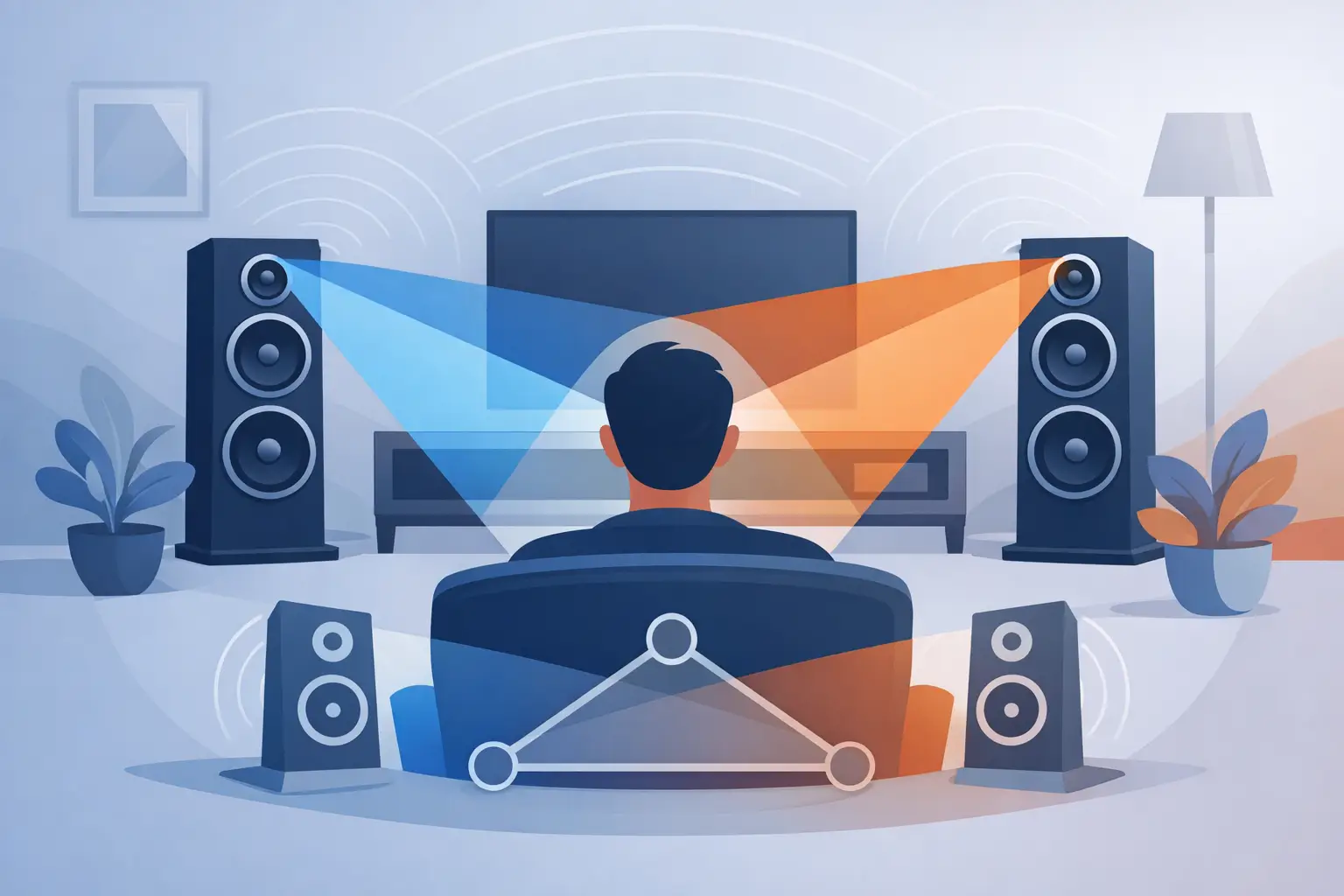
A well-set-up pair of loudspeakers can make a vocalist appear at a fixed point between the cabinets, with the room around the performer extending beyond them. A poorly aligned pair can make that same voice feel broad, vague, or attached to one speaker. Learning how to evaluate speaker imaging means listening for those differences deliberately, rather than mistaking a large sound for a convincing one.
Imaging is not a single trait a speaker either has or lacks. It is the result of speaker design, channel matching, placement, room acoustics, and recording quality working together. The goal is not an artificially oversized presentation. It is a stable, proportionate acoustic picture that remains believable as the music becomes more complex.
What Speaker Imaging Actually Reveals
Speaker imaging describes the perceived location, size, and stability of sounds within a stereo presentation. A precise image lets you identify where a singer, piano, cymbal, or guitar occupies space. It should have density and dimensionality, not merely a narrow point of sound floating in empty air.
Soundstage is related but different. Soundstage concerns the apparent width, height, and depth of the recorded venue or mix. Imaging concerns the specificity of the objects inside that stage. A system can produce impressive width while offering weak image focus, just as a tightly focused system can sound spatially constrained if the recording contains little ambient information.
With high-resolution loudspeakers, especially wide-bandwidth ribbon designs, the distinction becomes easier to hear. Low moving mass and fast transient behavior can expose minute timing and level differences between channels. Those differences are the cues your brain uses to locate sounds. They also expose setup errors that less revealing systems may partially conceal.
Begin With the Listening Position
Before selecting test tracks, establish a repeatable listening position. Imaging judgments made while moving around the room are rarely useful. Sit with your ears at approximately the height of the primary high-frequency radiating area, centered between the speakers, and at a sensible distance from the front wall and side walls.
The classic equilateral triangle is a sound starting point, not a universal rule. If the speakers are eight feet apart, begin with the listening seat about eight feet from each speaker. Then adjust according to the speaker's dispersion, the room, and the desired balance between image specificity and stage width.
Symmetry matters more than many enthusiasts expect. A speaker beside an open hallway and another beside a solid side wall will receive different early reflections. The result may be a center image that shifts, loses focus, or changes timbre. Correcting this can require moving the system, altering toe-in, or managing reflections. It cannot always be solved with a balance control.
How to Evaluate Speaker Imaging With Simple Tests
Start with mono. Play a familiar vocal recording summed to mono, or use a dedicated mono vocal track. The voice should lock to the center, with no tendency to pull left or right. It should not sound like two separate sources producing the same signal. A stable phantom center is the foundation of meaningful stereo imaging.
If the mono image wanders, first check the practical causes: equal speaker distances to the listening seat, identical polarity at both speakers, and a centered seat. Verify that left and right channels are not reversed. Even a small distance difference can influence image placement at higher frequencies, while reversed polarity will significantly weaken center focus and bass coherence.
Next, use a sparse stereo recording with a naturally recorded vocal, acoustic guitar, piano, or small jazz ensemble. Sparse material is more revealing than densely compressed pop because it leaves room for location cues. Listen for three characteristics.
First, assess focus. A centered vocal should occupy a defined area, not a diffuse band stretching between the speakers. Second, assess stability. As the singer changes pitch or level, the image should remain anchored rather than drift toward a cabinet. Third, assess scale. A voice should sound human-sized. An image that is too large can be as distracting as one that is unnaturally small.
Then move to a more complex recording. A convincing system preserves the lead vocal's position while allowing secondary instruments to occupy distinct layers around it. During crescendos, the image should not collapse into a bright, flattened mass between the loudspeakers. Separation should remain intelligible without sounding dissected or artificially spotlit.
Evaluate Width Without Chasing Excess
On recordings with strong lateral information, instruments may appear beyond the outer edges of the speakers. This can be persuasive, but width alone is not proof of superior imaging. Excess toe-out, strong side-wall reflections, or a recording with exaggerated phase effects can produce an exciting but unstable spread.
A better question is whether the lateral images have believable boundaries. Can you hear a percussion instrument positioned clearly to the right, rather than as a wash of treble energy near the right speaker? Does it retain that position when the arrangement becomes busy? Wide staging is most convincing when it is supported by density and control.
Listen for Depth and Layering
Depth is often the more difficult quality to achieve in a domestic room. On a well-recorded acoustic performance, the lead vocal may appear forward of instruments, while reverberant information and supporting players recede behind it. The effect should not resemble a synthetic surround field. It should emerge from subtle changes in direct sound, reflections, and tonal balance.
Listen for the space between front-to-back layers. If every performer seems to occupy the same vertical plane, assess the room and setup before blaming the speaker. Excessive absorption can remove useful ambient cues, while a highly reflective room can obscure them. Placement close to the front wall may reinforce bass and increase image solidity, but it can also reduce perceived depth. Pulling speakers farther into the room often improves layering, though at the expense of available space and sometimes bass weight.
Use Movement as a Diagnostic Tool
Once the central seat is established, move your head slowly a few inches left and right. A precise system will naturally change perspective, but the center image should not disintegrate immediately. If it collapses with very small movement, the speakers may be toed in too aggressively, spaced too widely, or interacting unevenly with the room.
This is also where trade-offs matter. A narrow, highly optimized sweet spot can deliver extraordinary image focus for one listener. A more moderate toe-in may provide a broader listening area, with slightly less pin-point specificity. Neither approach is automatically superior. The right choice depends on whether the system is intended primarily for one dedicated listener or for shared listening.
Separate Speaker Limits From Recording Limits
Not every recording contains stable imaging information. Multi-miked productions may place instruments through pan controls rather than natural spatial cues. Close-miked vocals can appear as a sharply defined center image with little depth, while older recordings may have hard-panned elements that sit almost entirely in one channel. These are production choices, not necessarily system failures.
Build a small reference selection across several musical styles. Include a centered voice, a minimally miked acoustic recording, a dense ensemble, and a live recording with audible room ambience. Familiarity is more valuable than audiophile spectacle. You should know where each image normally appears, how large it feels, and what happens when the arrangement grows more demanding.
Level matching also matters when comparing speakers, electronics, or placement changes. A modest increase in volume can create the impression of better clarity, wider staging, and stronger image focus. Keep changes controlled, use the same musical passage, and return to the original position before deciding what improved.
Common Imaging Failures and Their Likely Causes
A center image that leans to one side commonly points to unequal distances, asymmetrical reflections, channel imbalance, or a mismatch in speaker output. If the image is broad but lacks density, inspect toe-in, speaker spacing, and polarity. If it is sharply focused yet narrow and constrained, the speakers may be over-toed-in or placed too close together.
A bright, restless image can result from early reflections, excessive room liveliness, or an unsuitable listening height. A low seat can place the listener off the intended vertical axis of a tall loudspeaker, altering tonal balance and spatial integration. Conversely, an image that feels muted and reluctant to detach from the cabinets may reflect insufficient toe-in, poor channel matching, or a room that is too absorptive in the upper frequencies.
Do not change five variables at once. Move one speaker a small amount, listen again, and document the result. Even adjustments of an inch or two can matter when the system is capable of resolving fine spatial information. A tape measure, painter's tape, and patience are more useful than dramatic rearrangements.
The most satisfying image is not the one that announces itself on every track. It is the one that lets a familiar recording take on believable shape, then disappears from notice while the performance holds your attention.